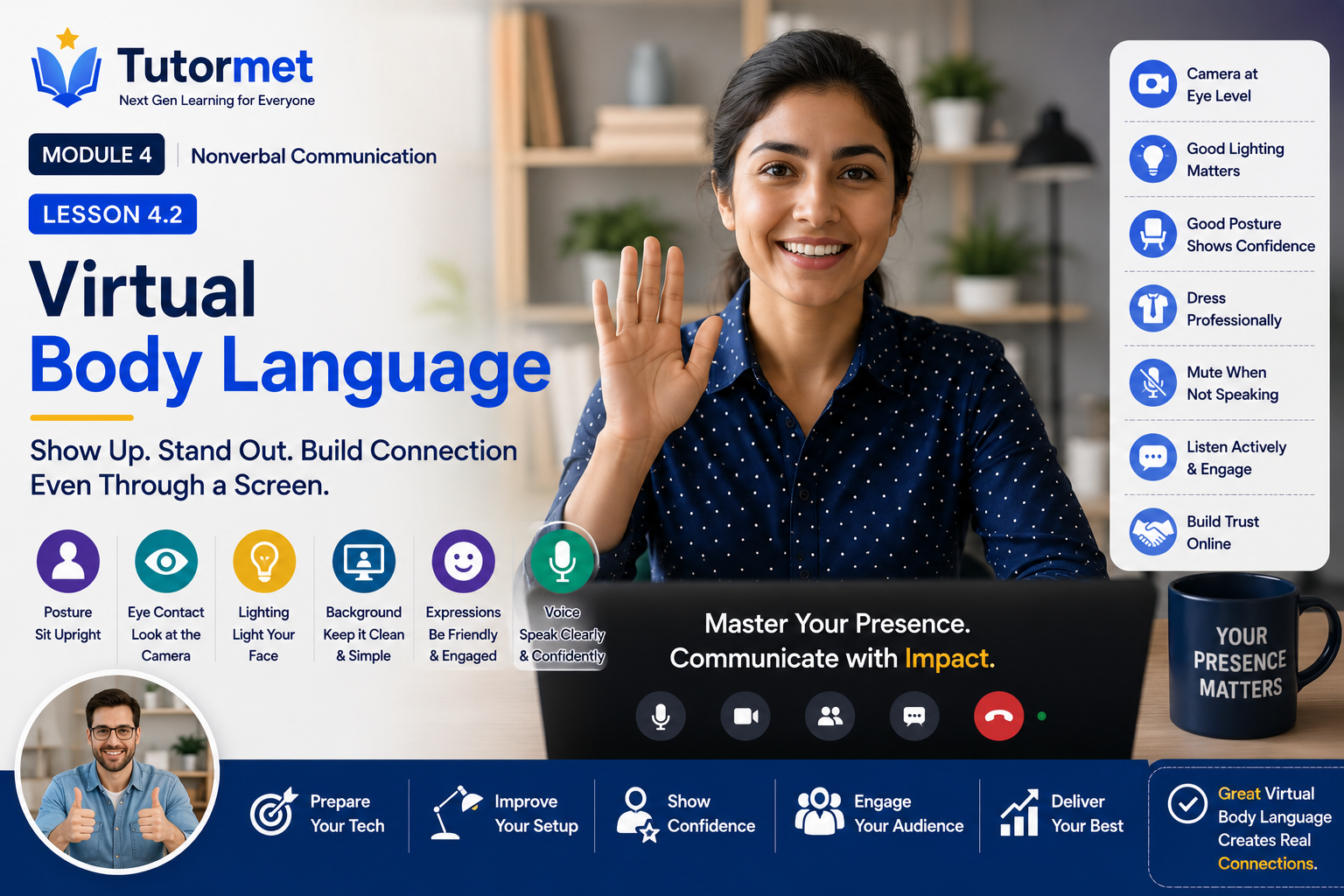
Lesson Description
In today’s digital world, professional communication often happens through video meetings, virtual interviews, webinars, online classrooms, and remote collaboration platforms. While technology has made global communication easier, it has also changed the way people interpret body language.
In virtual environments, facial expressions, eye contact, posture, lighting, camera positioning, and screen presence become even more important because many traditional nonverbal cues are limited.
This lesson explores the principles of virtual body language and teaches practical techniques to help you create a confident, professional, and engaging presence during online communication.
Learning Objectives
By the end of this lesson, you will be able to:
- Understand the importance of virtual body language.
- Improve your camera presence and on-screen professionalism.
- Use eye contact effectively during video calls.
- Set up proper lighting and camera positioning.
- Present yourself confidently during virtual interviews and meetings.
- Avoid common virtual communication mistakes.
- Build trust and engagement in remote communication.
1. What Is Virtual Body Language?
Virtual body language refers to the nonverbal signals people communicate during online interactions.
These include:
- Facial expressions
- Eye contact
- Posture
- Gestures
- Voice tone
- Camera positioning
- Lighting
- Background
- Appearance
- Attention level
Although participants may be thousands of miles apart, these signals strongly influence how messages are perceived.
Virtual communication requires intentional awareness because small details become more noticeable on screen.
Why Virtual Body Language Matters
Strong virtual body language helps you:
- Build credibility
- Increase audience engagement
- Improve collaboration
- Create positive first impressions
- Strengthen leadership presence
- Improve interview performance
- Enhance online teaching and presentations
- Build trust in remote teams
Professional communication is no longer limited to physical offices.
2. Camera Presence
Camera presence refers to how you appear and interact on screen.
People often judge professionalism within the first few moments of joining a video meeting.
Good Camera Presence
Professional communicators:
- Sit upright.
- Smile naturally.
- Stay centered in the frame.
- Avoid unnecessary movement.
- Look attentive.
- Maintain calm facial expressions.
Your screen presence should reflect confidence without appearing forced.
Common Mistakes
Avoid:
- Looking distracted.
- Constantly moving around.
- Slouching.
- Sitting too close to the camera.
- Frequently looking away.
- Eating during meetings.
These behaviors may reduce professionalism.
3. Eye Contact in Virtual Meetings
Eye contact works differently online.
Looking at another participant’s face on your screen does not always appear as eye contact to others.
Instead, occasionally look directly into your camera when speaking.
This creates the impression of direct engagement.
Tips
During conversations:
- Look at the camera while speaking.
- Look at participants while listening.
- Avoid staring continuously.
- Blink naturally.
- Maintain a relaxed expression.
Balanced eye contact creates stronger connections.
4. Camera Positioning
Camera placement significantly affects how others perceive you.
Ideal Camera Position
Position your camera:
- At eye level.
- Directly in front of you.
- Stable and secure.
- Approximately an arm’s length away.
Eye-level cameras create a natural viewing angle.
Avoid
- Looking down into the camera.
- Looking up from below.
- Holding your laptop in your lap.
- Constant camera movement.
Stable positioning improves professionalism.
5. Lighting
Good lighting helps others clearly see your expressions.
Poor lighting reduces communication effectiveness.
Best Lighting
Use:
- Natural light facing you.
- Soft front lighting.
- Even illumination.
Avoid
- Bright windows behind you.
- Dark rooms.
- Strong overhead shadows.
- Flickering lights.
Good lighting improves facial visibility and engagement.
6. Background
Your background communicates professionalism.
It should support—not distract from—your message.
Professional Background
Choose:
- Clean workspace.
- Neutral wall.
- Organized office.
- Bookshelf.
- Simple virtual background (if necessary).
Avoid
- Cluttered rooms.
- Moving distractions.
- Loud television.
- Personal items that distract attention.
Simple backgrounds keep the focus on you.
7. Appearance and Dress
Dress appropriately for your audience.
Professional clothing demonstrates respect for both yourself and others.
Even when working from home, maintaining professional standards influences confidence and credibility.
Tips
Choose:
- Clean clothing.
- Appropriate colors.
- Neat grooming.
- Comfortable professional attire.
Dress as though you were attending an important in-person meeting.
8. Voice and Speaking Online
Virtual communication often relies more heavily on vocal delivery.
Because some body language is limited, your voice becomes increasingly important.
Best Practices
Speak:
- Clearly.
- Slightly slower than usual.
- With vocal variety.
- At an appropriate volume.
Pause briefly after important ideas.
Online connections sometimes introduce slight delays.
9. Virtual Meeting Etiquette
Professional etiquette improves remote collaboration.
Before the Meeting
- Test your microphone.
- Check your camera.
- Confirm internet connection.
- Review meeting agenda.
- Join a few minutes early.
Preparation reduces unnecessary interruptions.
During the Meeting
- Mute when not speaking.
- Avoid multitasking.
- Listen actively.
- Participate respectfully.
- Use chat appropriately.
- Take notes when necessary.
Professional engagement increases meeting effectiveness.
After the Meeting
- Confirm action items.
- Share follow-up information.
- Complete assigned tasks promptly.
Reliability strengthens trust.
10. Virtual Interviews
Many organizations now conduct interviews online.
Your virtual body language influences hiring decisions.
Interview Preparation
- Test technology beforehand.
- Research the organization.
- Prepare your environment.
- Practice answering questions.
- Dress professionally.
- Keep notes nearby if needed.
During the Interview
- Smile naturally.
- Maintain eye contact with the camera.
- Listen carefully.
- Avoid interrupting.
- Sit confidently.
- Express enthusiasm.
Professional preparation builds confidence.
11. Teaching and Presenting Online
Whether teaching, training, or presenting, engagement is essential.
Virtual audiences become distracted more easily.
Increase Engagement
Use:
- Natural gestures.
- Vocal variation.
- Visual aids.
- Questions.
- Stories.
- Polls (when available).
- Eye contact with the camera.
Interactive presentations improve learning.
12. Common Virtual Communication Mistakes
Avoid these habits:
- Joining late.
- Poor internet preparation.
- Speaking while muted.
- Forgetting to mute background noise.
- Reading directly from slides.
- Looking at another screen continuously.
- Poor lighting.
- Cluttered background.
- Multitasking.
- Constant notifications.
Small improvements create a more professional virtual presence.
13. Communicating Across Time Zones
Remote teams often work across different countries.
Successful communication requires respect and planning.
Best Practices
- Schedule meetings thoughtfully.
- Be punctual.
- Respect cultural differences.
- Share meeting notes.
- Clarify deadlines.
- Communicate expectations clearly.
Global communication depends on clarity and consideration.
Virtual Presence Blueprint
Use the V.I.D.E.O. Framework for every online meeting.
V — Verify Your Technology
Check internet, microphone, camera, and audio.
↓
I — Improve Your Environment
Use good lighting, a clean background, and minimal distractions.
↓
D — Demonstrate Professional Presence
Maintain posture, eye contact, and positive facial expressions.
↓
E — Engage Your Audience
Speak clearly, ask questions, and encourage participation.
↓
O — Observe and Adapt
Pay attention to others’ reactions and adjust your communication style.
Real-World Scenario
David is interviewing for a remote project manager position.
Before the interview, he tests his internet connection, positions his camera at eye level, chooses a clean background, and ensures proper lighting.
During the interview, he smiles naturally, maintains eye contact with the camera, listens carefully, speaks clearly, and avoids interrupting.
Although several candidates have similar qualifications, David creates a stronger impression because his virtual body language demonstrates confidence, professionalism, and attention to detail.
His online presence supports his verbal communication and reinforces his credibility.
Key Takeaways
- Virtual body language is an essential part of modern professional communication.
- Camera presence, posture, facial expressions, and eye contact influence how others perceive you online.
- Eye-level camera positioning and proper lighting improve engagement and professionalism.
- Clean backgrounds and appropriate attire create positive first impressions.
- Clear vocal delivery becomes even more important in virtual communication.
- Professional meeting etiquette improves collaboration and productivity.
- Successful virtual interviews require preparation, confidence, and active listening.
- Online presenters should actively engage audiences through eye contact, vocal variety, and interaction.
- Small adjustments in your virtual environment can significantly improve communication effectiveness.
- As remote and hybrid work continue to grow, mastering virtual body language is a valuable career skill.
Practice Activity
Schedule or participate in a 10–15 minute video meeting with a colleague, friend, or family member.
Before the meeting:
- Position your camera at eye level.
- Arrange proper front lighting.
- Choose a clean, distraction-free background.
- Test your microphone and internet connection.
During the meeting:
- Maintain an upright posture.
- Look into the camera when speaking.
- Use natural facial expressions and gestures.
- Speak clearly at a moderate pace.
- Listen actively without multitasking.
After the meeting, reflect on the following:
- Did you appear confident and engaged on camera?
- Was your lighting and camera angle effective?
- Did your body language match your spoken message?
- What one improvement will you make before your next virtual meeting?
Mastering virtual body language helps you communicate more effectively, build stronger professional relationships, and succeed in an increasingly digital and globally connected workplace.